The evening check-in closes the day. From 5:00 PM, or the hour you chose, Today shows it. Tap Begin check-in, or the PM check-in row when another card is at the top of Today.
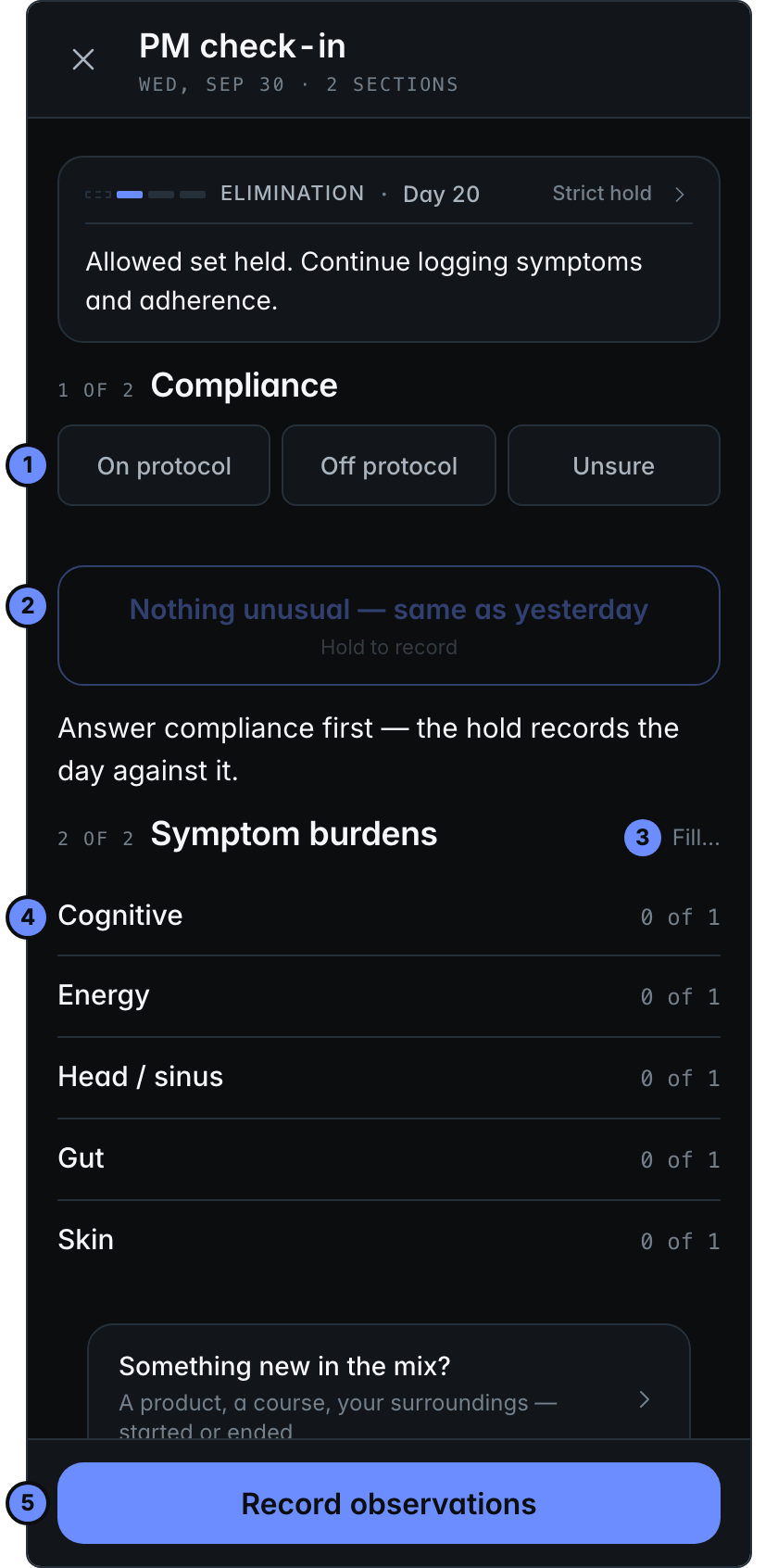
- Compliance: did you stay on protocol today? Tap the answer that fits, such as On protocol.
- Nothing unusual — same as yesterday: on a quiet day, answer compliance, then press and hold it until it says Recorded. That saves the whole check-in.
- Fill… offers ways to fill in your scores.
- Each group of symptoms opens when you tap it.
- Record observations saves the check-in.
Scoring your symptoms
Each score is how much a symptom bothered you today (Symptom burdens).
- Nothing unusual — same as yesterday copies the scores of the last day you scored, up to 7 days back.
- With no scores in the last 7 days, the button says Nothing unusual — all clear instead. It sets every score to 0.
- Fill… offers Baseline, every score at 0. Mild typical or Hard typical is a usual or a hard day, from your last 30 days. With an earlier day to copy, Carry yesterday too. Each replaces all your scores; a symptom with nothing to fill from is left empty.
- With an earlier day to copy, an open group also has a button that copies that group alone.
You can change any score afterwards. Your morning answers stay.
How a day works
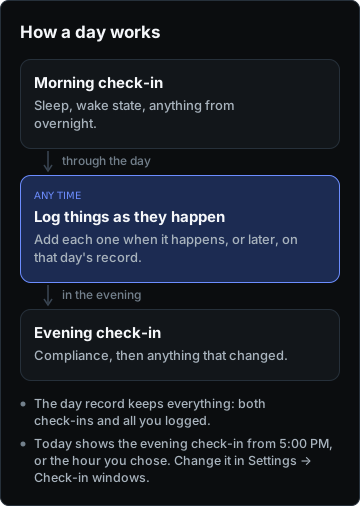
Each day has two check-ins, with logging in between: the morning records your night, and the evening closes the day. The day record keeps all of it together.