The morning check-in records your night and how you woke up. On Today, tap Begin check-in to open the AM check-in. When another card is at the top of Today, tap the AM check-in row below it instead.
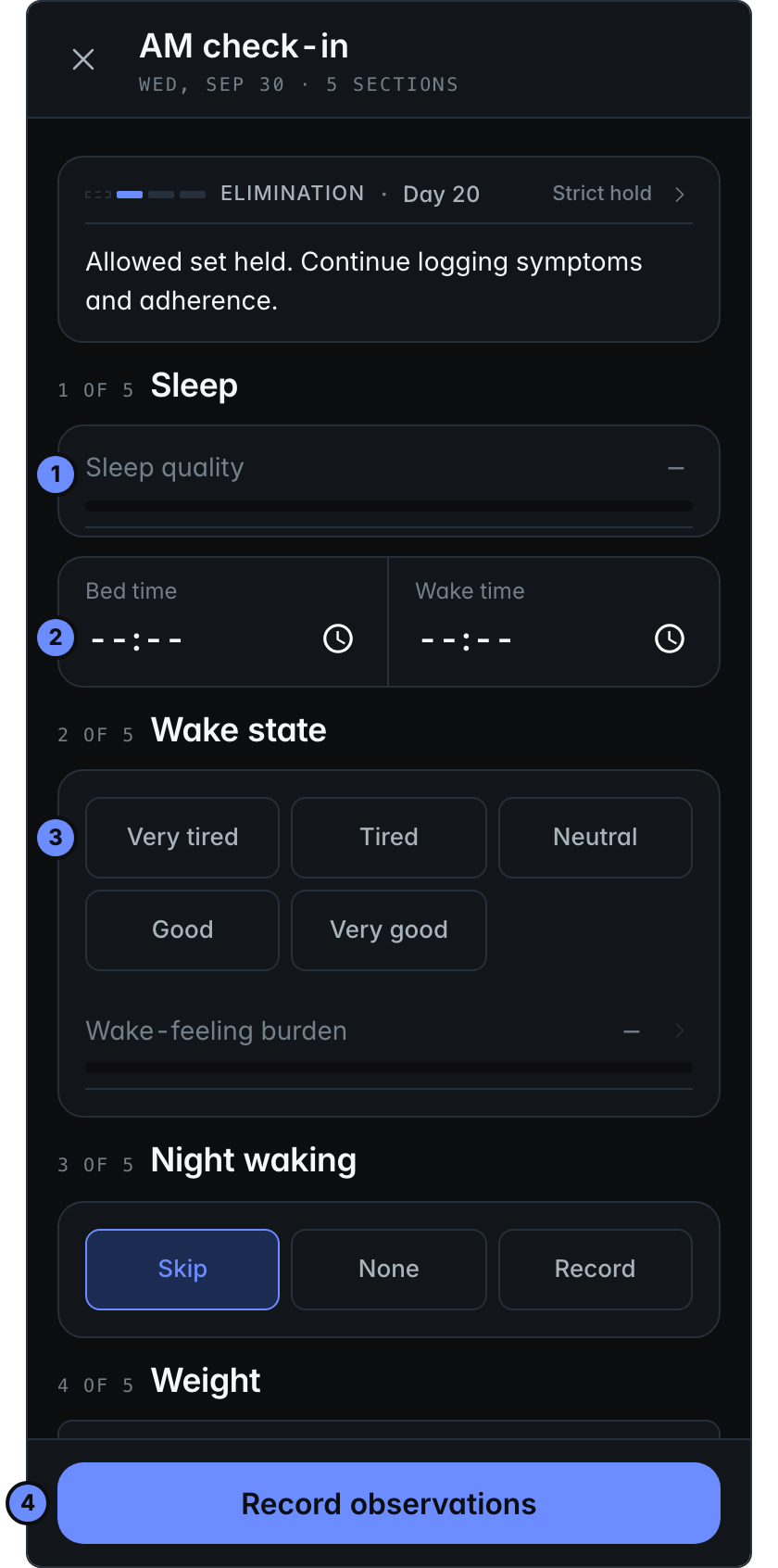
- Sleep quality: how well you slept. Tap it, then pick a number from 0 (poor) to 10 (restful).
- Bed time and Wake time.
- Wake state: how you felt when you woke up.
- Record observations saves the check-in.
Further down, the screen asks about waking in the night, your weight, and whether you stayed on protocol overnight. Answer what you can, and skip the rest.
How a day works
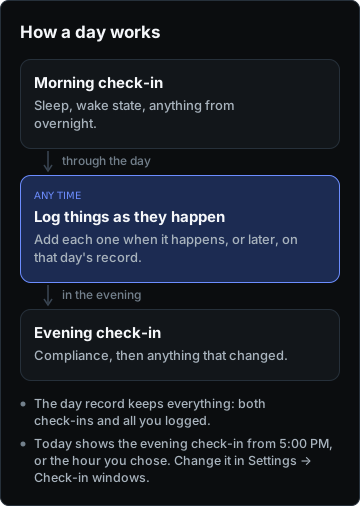
Each day has two check-ins, with logging in between: the morning records your night, and the evening closes the day. The day record keeps all of it together.
You can change the evening check-in's time in Settings, under Check-in windows.